
Helpful reading
QR code for Google reviews: ask for a review with one scan
One scan opens the Google review form — no awkward ask out loud, no searching for your business in Maps, and no app to install.
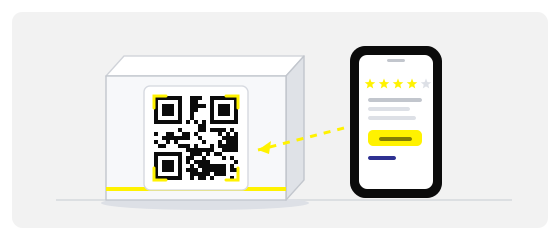
Why asking out loud almost never works
Almost every owner has had this conversation. The customer is happy, the service went well, and you say: “Would you mind leaving us a review on Google?”
“Would you mind leaving us a review on Google?”
“Sure — where exactly?”
“Just search for us in Maps… no, not that one…”
The customer wanted to. The intention was real. What killed it was the route: open Maps, type the name, pick the right listing, scroll, find the button, sign in, write something.
This is not a problem of politeness. It is arithmetic. The person is standing there in a coat, holding a bag, with a taxi app already open — and every extra step lowers the chance they finish. The wish does not fade over an hour. It fades in twenty seconds, the moment something gets in the way.
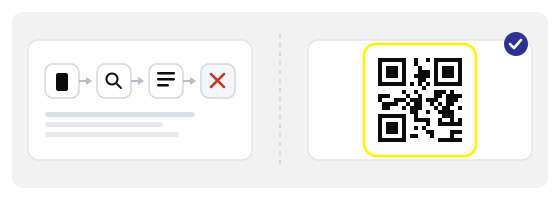
A QR code squeezes that route into one action. The phone is already in hand, the intention is already there, and the form shows up before the moment passes.
You are not asking people to be more thoughtful. You are removing the reason they gave up.
What should open after the scan — and what should not
This is where most review QR codes quietly fail. The code works, something opens, but it is not the thing that produces a review.
The review form itself
Google’s “Ask for reviews” link opens the star rating for your exact location. One tap on the rating, a few words, done.
A page that links to it
Your own “reviews” page on the website. It adds a second decision and a second tap, and some people stop right there.
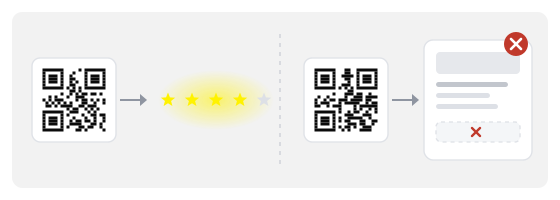
The review form is a specific URL, tied to a single location. If you run several places, each one needs its own link and its own code — otherwise a customer at the second branch rates the first, and you get a review about a visit that never happened.
There is another extreme: the code goes to your general business card in Maps rather than the form. Technically fine, the person sees your listing — and still has to scroll around looking for “Write a review”. Half of them will not scroll. So check for the thing that matters: after the scan, are the stars immediately visible?
Who benefits most
- cafГ©s
- restaurants
- beauty salons
- dental clinics
- shops
- hotels
- local services
- repair shops
What they share is a short personal service with a clear ending: the moment the customer pays, leaves, or picks up the keys. That is the easiest moment for a review, and it is exactly the moment when the ask normally happens out loud and gets forgotten.
It works less well where the visit is long and blurred: a large store, a long consultation, several departments. People cannot remember who they spoke to, and the review ends up being about everything at once. For those places a code on the receipt works better — it travels home with the purchase.
How to get your review link from Google
-
Open your Google Business Profile
Sign in and find your business — in the profile dashboard or in Google Maps while signed in as the owner.
-
Use the “Ask for reviews” tool
Google generates a short link that opens the rating form for your location. Copy it exactly — do not shorten it by hand or edit it — and check that it points at the right place.
-
Make the code
Paste the link into the generator, pick the link type, apply your colours and download SVG for print or PNG for digital use.
The button carries different names depending on the interface language — “Get more reviews”, “Ask for reviews”, “Mehr Bewertungen erhalten”. Look for the action, not the label: it shows a short link and a copy button.
Test before you print. Open the finished code on a phone that is not signed into your account — otherwise you see the owner view instead of the customer view. An owner sees their own profile from the inside and never notices that the form does not open the way it does for a guest.
Where to put it so people actually scan
Placement is a question of timing, not decoration. The code has to be within reach during those ten seconds when the customer is pleased and still holding the phone.
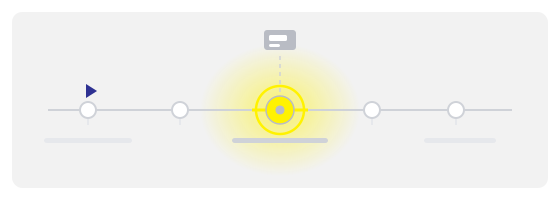
Always add a caption. “Rate us on Google” is enough; “30 seconds — your review helps” is better, because it sets the expected size of the task. A sticker with no caption is a riddle, and nobody solves riddles at a till.
A code without a caption asks a question. A code with a caption gives an instruction.
What to print on the sticker and what to say out loud
The code replaces the explanation, not the courtesy. That is why the caption and the sentence work together, each doing its own part.
A caption needs three things: the action, the place and the time. “Rate us on Google — it takes 20 seconds.” Not “leave a review”, which sounds like asking for a favour, but “rate”, which is a concrete action with a known end. Avoid “we’d be so grateful” and “your opinion matters to us”: both are honest, but they take up space that an instruction should occupy.
The sentence out loud: one line, once, no pressure. “If you enjoyed it, there’s a code here — you can rate us on Google.” Then pause and change the subject. If staff repeat it three times, or stand over the customer while they scan, the effect reverses: people agree just to be left alone and write nothing.
One more detail you notice in practice: do not ask “was everything okay?” right before pointing at the code. The question forces a spoken answer, and afterwards the customer feels they have already said everything they needed to.
Google reviews versus your own review page
These are two different tools with two different jobs, and mixing them wastes effort.
A Google review is public. It shapes your position in Maps, your star rating, and the decision of a stranger who has never heard of you. It also accumulates, because it keeps working for years without any action from you.
Your own feedback form is private. It catches complaints early, before they become public one-star ratings, and it collects details a Google form has no room for: an order number, a shift, a specific member of staff. But it adds no visibility.
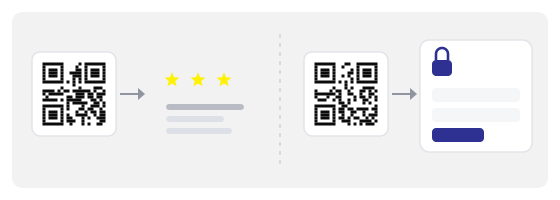
If you need both — and plenty of businesses do — print two separate codes with two clear captions. Never send everyone to the private form and invite only the happy ones to Google: that is review gating, and Google’s rules forbid it.
What is not allowed
The rules on reviews are stricter than most owners assume, and the consequences land on the business, not on the customer.
- offering a discount, a gift or a prize draw in exchange for a review
- filtering people — sending only the happy ones to Google
- writing reviews yourself, or asking staff and family to
- asking for a specific number of stars instead of an honest review
- buying reviews in bulk from any service
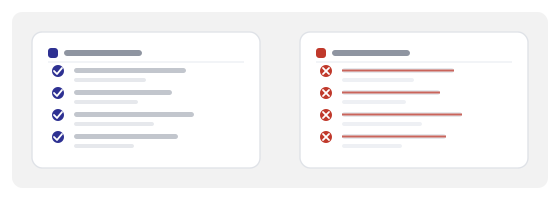
What you can do is simple: ask everybody, make it easy, and attach no reward. A QR code is entirely within the rules, because it is only a shorter route to the same form.
A word on asking later. A follow-up message or email is allowed too, but conversion is lower there: the person is home, the moment has passed. The code at the till wins precisely because it needs no memory and no effort from you.
What to expect, realistically
The code does not create goodwill — it converts the goodwill that already exists. The ceiling is set by the number of customers who genuinely had a good time.
In practice, a well-placed and well-captioned code at the till brings a few reviews a week in a busy place, and one or two a month in a quiet one. That sounds small until you compare it with zero — which is roughly what asking out loud usually produces.
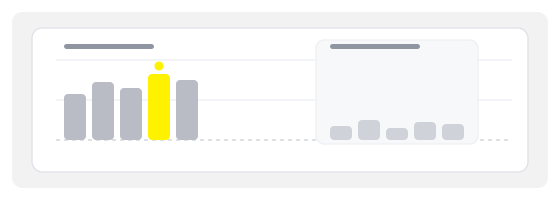
Two things move the number more than design does: a spot where the customer is already waiting, and staff mentioning the code once, without pressure. The code does the mechanical work; the human sentence does the emotional one.
And do not measure yourself against the competitor with three thousand reviews. Some of those numbers took years; some were not entirely honest. You need fresh reviews, not a rating for its own sake: the choice in Maps depends far more on what was written last month than on what was written three years ago.
What to do with the reviews once they arrive
Your replies get read more often than the reviews themselves. Someone choosing between you and the place next door looks not only at the stars but at how you behave in a conversation.
Reply briefly and within a few days. A good review needs one sentence of thanks, no advertising. A bad one needs you to name the specific thing, say what you will change, and invite the person to get in touch. Do not argue and do not explain why the customer is mistaken: you are writing for the next reader, not for them.
Do not reply to everyone identically. Identical replies are spotted in a second and do more harm than no reply at all.
If a review is fake, report it to Google — it is free and sometimes works. Do not order a batch of positive ones in response: that is exactly how businesses fall into the filters, and the genuine reviews disappear along with the fake ones.
Why we only make dynamic codes
A static code bakes the URL into the pattern. If the link ever changes, or you open a second location, or you find the code points somewhere wrong, the only fix is reprinting every sticker and table tent.
Every code here is dynamic: the printed pattern leads to a short redirect we control, and the review URL sits behind it. You can repoint a code that is already printed, and you can see how many people scanned it and on which days.
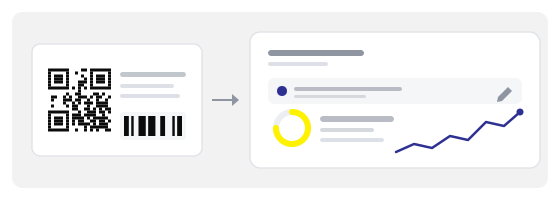
Dynamic
Change the destination after printing, and see scan statistics — with no static trade-offs.
That last part is more useful than it sounds. Comparing two placements — by the till and in the window — becomes a question answered in a week, where otherwise it would be a guess.
Three tools and what each one does
The generator turns the review link into a code. The QR studio turns that code into a physical object — a table tent, a till card, a sheet of stickers — with the right margins and print resolution. And the QR scanner lets you check what the finished code actually opens, before the batch goes into service.
That last step takes ten seconds per code and prevents the most irritating outcome of all: a hundred stickers pointing at a page that no longer exists.
The order is simple: link, code, layout, check, print. Skip any step and you will repeat it after the batch is already sitting at the till.