
Useful materials
Instagram QR codes: link to your profile in one scan
People rarely refuse to follow you. They just do not want to type a handle from a printed card into a search box. A QR removes the typing, and with it most of the drop-off.
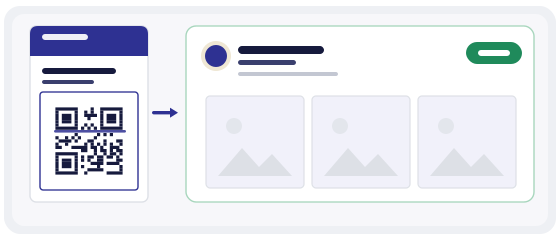
The gap is findability, not interest
They liked the stall, took the card, put it in a pocket.
At home: open Instagram, search, misspell the handle, get three near-identical accounts.
Close the app. The card stays in the pocket.
Nothing in that story is a rejection. It is a chain of small obstacles, and each one costs a share of the people who were genuinely interested. A QR code does not create that interest — it keeps it from leaking away between the shop and the sofa.
A printed Instagram QR opens a profile. It does not get you a follower. The follow is still a decision the person makes on their own screen — your job is only to make that screen appear.
What a social QR can and cannot do
It can put your profile in front of someone at the exact moment they are curious, on the device they will use anyway, with no search and no typing. That is most of the battle, and it is the part print alone always loses.
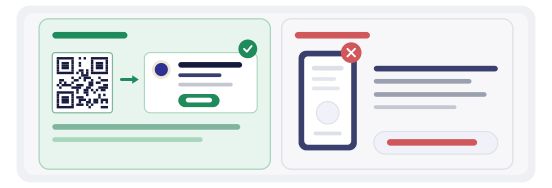
It cannot make a thin profile worth following, and it cannot promise a follow. People scan, look for two seconds, and decide. If the grid is empty, if the last post is from last spring, if the bio says nothing about what you do — the scan worked perfectly and still produced nothing.
So the honest version: the QR buys you a two-second visit. Everything after that is the profile’s job.
Profile, post or Reels
Choose the destination by how long the printed object will live. A sticker on packaging can stay in circulation for a year; a flyer for a weekend event is finished on Monday.
Your profile
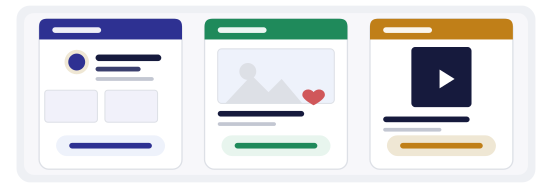
The safe default for anything durable: business cards, packaging, shop windows, van livery. It never goes out of date, and it lets the person choose what to look at.
One post or Reels
Right when the print is tied to a single campaign: a launch, an offer, a specific video. Precise, but it ages badly — the link dies the moment the post is deleted.
A landing page you control
Point the code at your own page and link out to the profile, the campaign and the newsletter. One more click, but nothing breaks when a post is archived.
For most small businesses the profile wins, simply because it outlives everything else in the print run.
Where a printed Instagram QR earns its place
The order matters less than the pairing. A code with no reason to scan next to it is scanned out of curiosity and then closed. A line like «New pieces every Friday» does more than «Follow us» ever will.
The handle is not the link
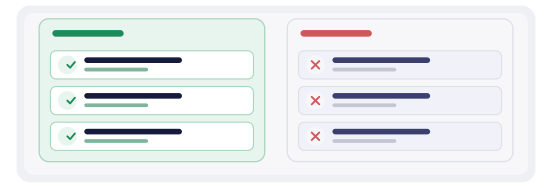
Typing @yourname big and bold feels natural on a card, and it is the single most common mistake here. A handle is a search term: it can be misspelled, it can match a dozen other accounts, and it cannot be scanned.
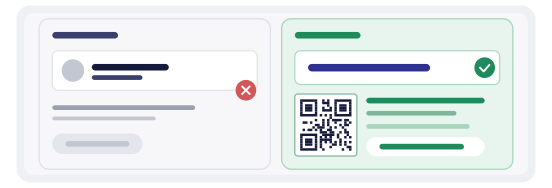
Print the full profile URL as well — https://instagram.com/yourname — so the code has an obvious, readable fallback for anyone whose camera refuses. And check the link in a private browser window: a profile set to private still opens, it just shows nothing, and that changes what the scan is worth.
One code that can outlive the print
A static code carries the address inside the pattern. Change your handle, or move the campaign to a new post, and the old sticker is dead — silently, because nobody reports a code that goes to the wrong place.
A dynamic code points at a short link you control. You can re-target it from the dashboard without reprinting, which is exactly what makes it worth the trade-off: the scan now goes through a redirect service, so it depends on that service staying up. For a card in someone’s wallet that is a fine deal. For a permanent sign, weigh it.
See static vs dynamic QR for the full comparison before you commit a print run.
Measure the scan, not the follower count
Follower count moves for a dozen reasons: an algorithm change, one viral post, a slow month. Scan count moves for one reason — somebody pointed a camera at your code. That makes it a far cleaner signal about the printed object.
With one code per placement you learn which placement is doing the work. The counter on the till and the insert in the box behave completely differently, and a single shared code hides that entirely.
Read the pair of numbers together: many scans and no growth in profile visits means the profile is not converting. Few scans where footfall is high means the code is too small, too low, or hidden behind the queue.
Print rules that decide whether it scans
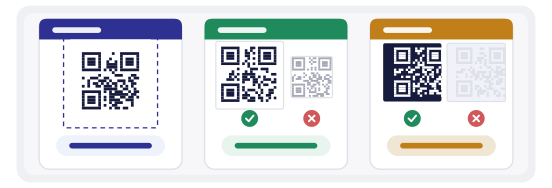
- keep the quiet zone clear — no border art, no logo crowding the corners
- high contrast only: dark modules on a light background, never pale grey on white
- no shiny lamination under a spotlight; it throws the light straight back at the camera
- minimum size around 2 cm on a card, bigger on anything read from a distance
- test the actual printed piece, not the file on a monitor
How to make it in practice
The generator turns your profile URL into a working code in under a minute — choose URL, paste the link, name the placement so the dashboard stays readable later.
The QR Studio is where it becomes a physical object: brand colour, a small logo, templates for cards and stickers, and SVG output that keeps the edges crisp at print resolution. Keep the logo small and off the corners; a beautiful code that does not scan is just a picture.
Before the print run, pass each code through the QR scanner to confirm what is inside and where it lands. It takes ten seconds and catches the mistake nobody notices until a customer does.
The mistakes that waste a scan
- printing only the @handle and no code, or only a code and no readable URL
- pointing at a single post for something that will be on a shelf for a year
- a code with no reason next to it — curiosity scans, then closes
- sending the scan to an empty or abandoned profile
- the same code on five different placements, then wondering which one worked
- never testing the printed version, so the customer finds the failure first